Search Codex session history: kioku
Codex keeps every session on disk, but it has no way to search across them. kioku is a terminal tool that indexes those transcripts and returns the individual messages that match, so you can find the conversation and pick it up again.
Where Codex keeps its sessions
kioku reads Codex transcripts from ~/.codex/sessions. If you set $CODEX_HOME, it reads $CODEX_HOME/sessions instead. To point it somewhere else, set KIOKU_CODEX_DIR to the transcript folder.
It only reads. kioku never edits Codex transcripts; the one thing it writes is its own index in ~/.cache/kioku.
Search the sessions
brew install Ray0907/kioku/kioku
kioku --harness codex "rate limit"
kioku --harness codex --since 7d 部署- A space means AND,
"black tea"is an exact phrase,-wordexcludes, and a bare word is a prefix. - Every row is one message, ranked by BM25, with its project and age. Your messages and the assistant’s come before tool output.
- Chinese, Japanese and Korean terms match inside running text, through fts5-cjk.
- Leave out
--harness codexto search every agent at once, or press Tab in the TUI to cycle between them.
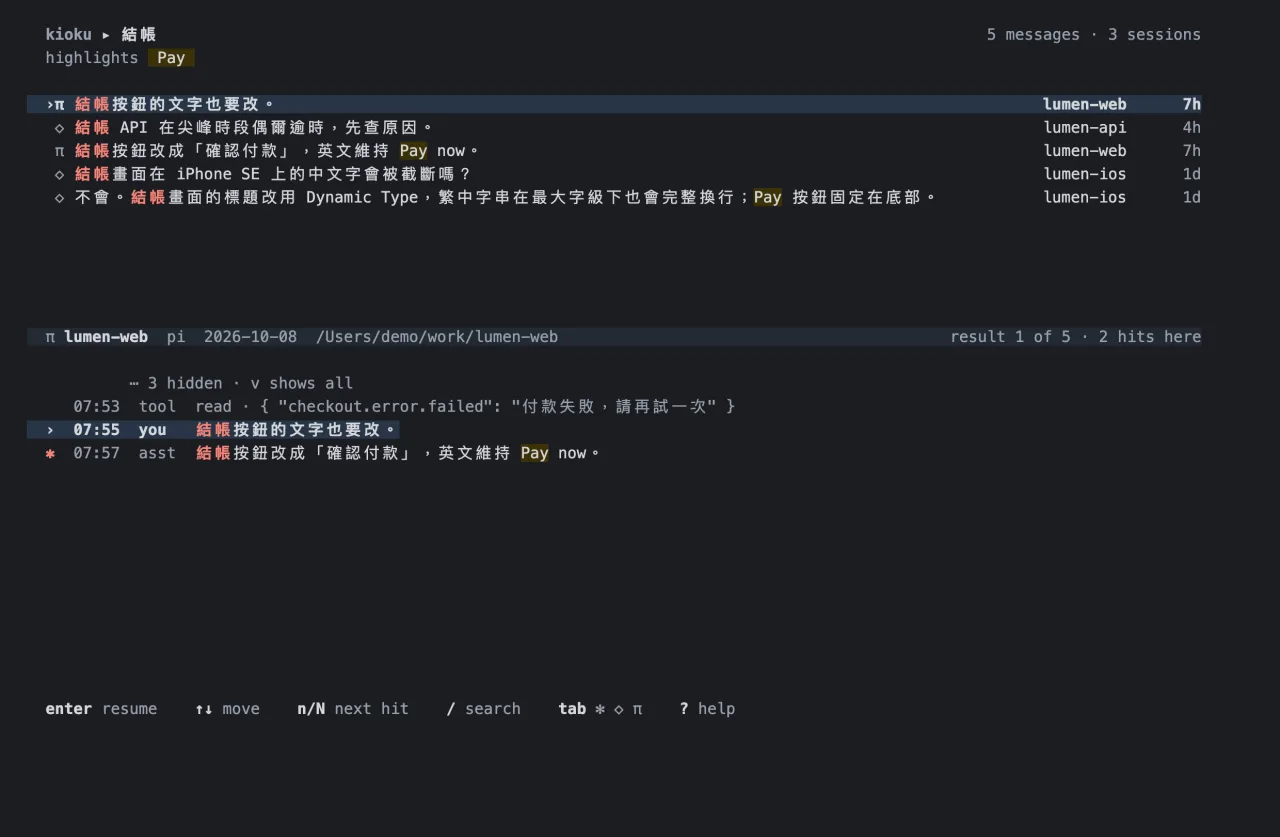
Resume the session you found
Select a result and press Enter. kioku runs codex resume <id> in the session’s original directory, so the agent opens with that conversation loaded. Press y to copy the command instead, or o to open the project in your editor.
Use it from scripts and agents
When stdout is not a terminal, kioku prints a compact text page; --json prints a structured one, with a cursor for the next page.
kioku --harness codex --json --limit 5 "rate limit"kioku also runs as an MCP server over stdio. For a client that takes the common mcpServers format, the entry is:
{
  "mcpServers": {
    "kioku": { "command": "kioku", "args": ["mcp"] }
  }
}
The server is read-only. It can read your local transcripts, so enable it only in clients you trust.
Related
- Search Claude Code session history with kioku
- Why I built kioku
- Source and full docs: github.com/Ray0907/kioku